
Saved music, finally organized.
Your saved music deserves more than getting lost.
Turn your saved Instagram music into organized Spotify playlists in just a few minutes.
Local processing · Private by design · No Instagram login required
Private Beta · Windows 10/11Syngoli product preview
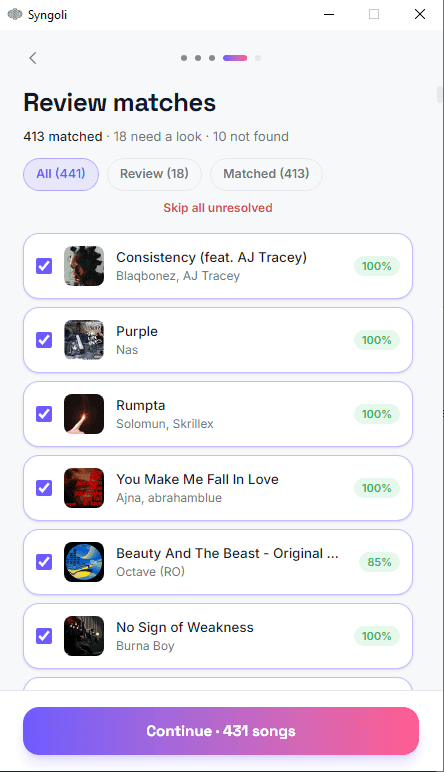
From saved music to Spotify playlists.
Syngoli guides you through a simple local workflow without requiring your Instagram password.
Request your Saved Music
Download only your Saved Music data from Instagram. Photos, chats and other personal data are not required.
Select and review
Extract your Instagram download, then select the folder containing saved_music.json. Syngoli finds matching tracks on Spotify and lets you review uncertain results.
Create your playlists
Choose one complete playlist or split larger collections into multiple playlists, then create them in Spotify.
Built for a cleaner music library.
Accurate matching
Syngoli searches Spotify and helps you review tracks that need confirmation.
Duplicate protection
Previously imported tracks are recognized so your playlists stay organized.
Flexible playlists
Create one complete playlist or split larger collections into smaller playlists.
Private by design
Your Instagram export is processed locally on your computer and is not uploaded to Syngoli servers.
Your music data stays on your device.
Syngoli processes your Instagram export locally. We do not require your Instagram password, and your export is not uploaded to our servers.
Why an export is used
Instagram does not provide Syngoli with direct access to your saved music. You request your own Saved Music data from Instagram and select the exported folder locally inside the app.
- No Instagram login
- No photos or messages required
- Secure Spotify authentication
- Local export processing
A closer look at the workflow.
Each step of the Syngoli workflow, from selecting your export to opening your finished playlist.
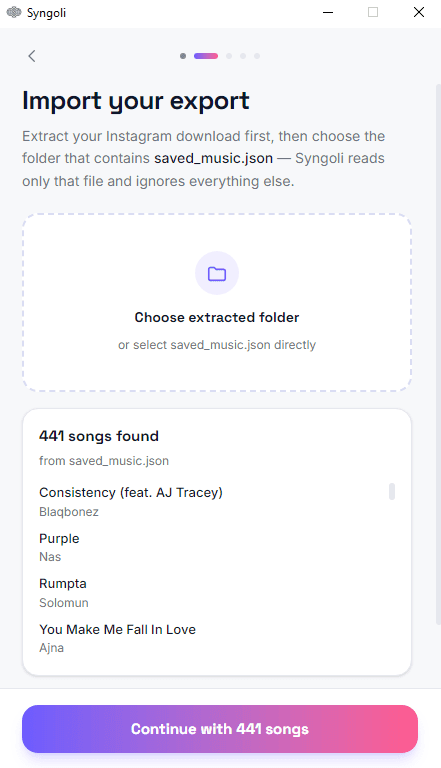
Import
Select the extracted Instagram folder containing your Saved Music data.
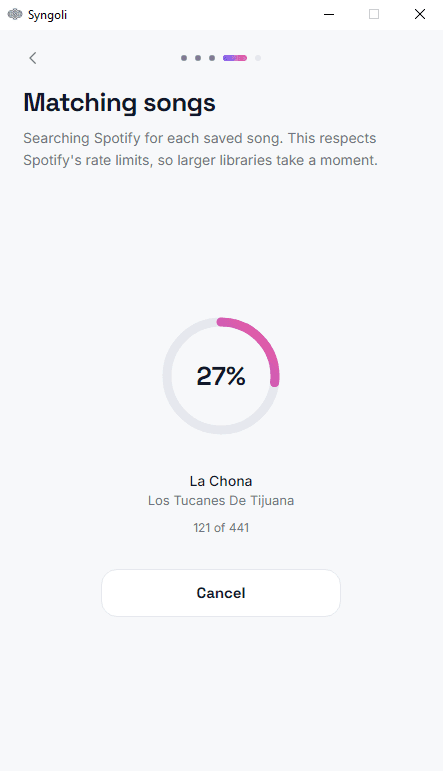
Matching
Syngoli searches Spotify for corresponding tracks.
Manual review
Confirm uncertain matches before creating your playlist.
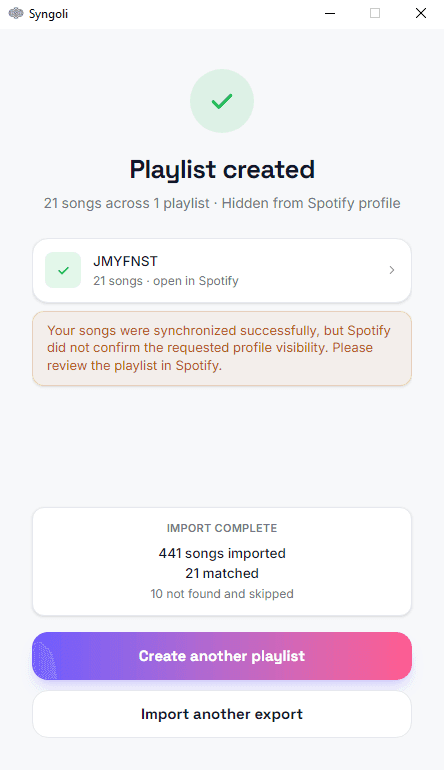
Playlist created
Review the finished import and open the created playlist in Spotify.
Ready to organize your saved music?
Download the Syngoli beta for Windows and turn your Instagram saves into Spotify playlists.
Windows 10 / 11 · 64-bit · Beta · Spotify account required
The installer is currently not code signed. Microsoft SmartScreen may therefore display a warning during installation. Select “More info” and then “Run anyway” to continue. Code signing is planned for the public release.
Frequently asked questions
No. Syngoli works with the Saved Music data you request directly from Instagram.
No. Only request your Saved Music data. Photos, chats and other personal information are not required.
The current onboarding recommends extracting the Instagram download and selecting the folder containing saved_music.json.
No. The export is processed locally on your computer.
Yes. Syngoli supports creating private Spotify playlists.
Syngoli lets you review uncertain matches before creating your playlist.
Not yet. The current private beta is available for Windows.
The private-beta installer is not yet code-signed. Code signing is planned before the public release.